Photoroom Alternatives: AI Product Photos vs Real Brand Photos
Most lists of Photoroom alternatives compare one AI editor with another. That works if you make your own products. If you sell products made by other brands, there is a different kind of alternative, and for most branded catalogs it is the better one.
Why people look for a Photoroom alternative
Photoroom is a capable AI photo editor. It removes backgrounds, generates AI backgrounds and shadows, puts clothes on virtual models, and edits up to 250 photos at once in batch mode. People still go looking for something else, and the reasons in recent reviews come up again and again:
- Shopify publishing costs more than the entry plan. Photoroom's Shopify app is free to install, but its help center says publishing, downloading and exporting from it need the Max or Ultra plan. Pro does not include it. Reported monthly prices are $12.99 for Pro and $34.99 for Max (yearly billing is cheaper).
- Usage caps. Every plan has a monthly export limit. The free plan allows 100 exports a month, and exports past the limit get a Photoroom watermark.
- Billing and pricing changes. On Trustpilot, Photoroom has a 2.2 score from 272 reviews, mostly about charges after cancelling or a trial, and plans that changed. Its Shopify app has 3.9 stars from 36 reviews.
- Distorted labels. Some reviewers say AI edits changed the text on their product labels. More on that below, because it matters a lot for branded goods.
Sources: Photoroom help center, Shopify App Store reviews, Trustpilot. Ratings as of October 2026. Prices change often, so check Photoroom's pricing page.
The two kinds of product photo tools
Before comparing tools, it helps to see that they fall into two groups that solve different problems.
| AI photo editors | Real photo finders | |
|---|---|---|
| Examples | Photoroom, Pixelcut, Pebblely, Flair.ai, Shopify Magic | Find Product Photos |
| You start with | A photo you took of the product | Just the product title |
| You need the product in hand? | Yes, to photograph it | No |
| What you get | Your photo with a new background, shadow, scene or model | The brand's own photos, published by the brand or its retailers |
| Label and logo accuracy | Depends on your photo and the AI. Text can be distorted | Exact, because it is the real photo |
| Best for | Your own products, private label, handmade, lifestyle shots | Branded products you resell |
| Pricing model | Monthly subscription | One-time credits, pay per photo uploaded |
If you make the product, only the left column helps you, since no photo of it exists anywhere. If you resell other brands' products, the right column usually saves you the whole photoshoot.
AI alternatives to Photoroom, compared
If you photograph your own products and want an AI editor, these are the main options. Prices are the lowest paid monthly plan, checked on each vendor's site in October 2026 unless noted.
| Tool | What it does best | Free option | Paid from |
|---|---|---|---|
| Pixelcut | Background removal and batch edits on a budget | Yes, no watermark | $10/mo |
| Flair.ai | Drag-and-drop AI product scenes and custom models | 5 images | $8/mo |
| Pebblely | AI lifestyle backgrounds for product shots | No | $9/mo (30 images) |
| Mokker | Fast AI studio and lifestyle backgrounds | 20 photos, once | $13/mo (500 photos) |
| Claid.ai | Bulk catalog cleanup, with an API | No | $15/mo (500 credits) |
| remove.bg | Background cutouts only | Low-res previews | About $9/mo (third-party figure) |
| Shopify Magic | Replaces backgrounds inside your Shopify admin | Included on paid Shopify plans for now | Free |
| Photoroom (for reference) | All-round AI editor with batch mode | 100 exports/mo, watermark after | $12.99/mo Pro; Shopify publishing needs Max, $34.99/mo |
What these AI tools actually produce
- Background removal: your phone photo of a bottle, cut out onto pure white. Photoroom, Pixelcut, remove.bg and Shopify Magic all do this.
- AI scenes: the same bottle placed on a marble counter, a beach or a kitchen table that never existed. Pebblely, Mokker and Flair.ai are built for this.
- AI shadows and lighting: a realistic shadow under the product so it does not look pasted on.
- Virtual models: clothing shown on an AI-generated person. Photoroom and Flair.ai offer this.
Two limits to know about Shopify Magic: it only changes the background and never the product itself, and Shopify says its output is about 1 megapixel with an invisible watermark that marks it as AI-made.
Where AI falls short for branded products
You still need a photo of every product
Every AI editor starts from a photo you took. If you have 2,000 products, that means 2,000 products pulled from the shelf, photographed and put back before the AI does anything. AI makes each photo look better. It does not save you the photoshoot.
AI gets label text and logos wrong
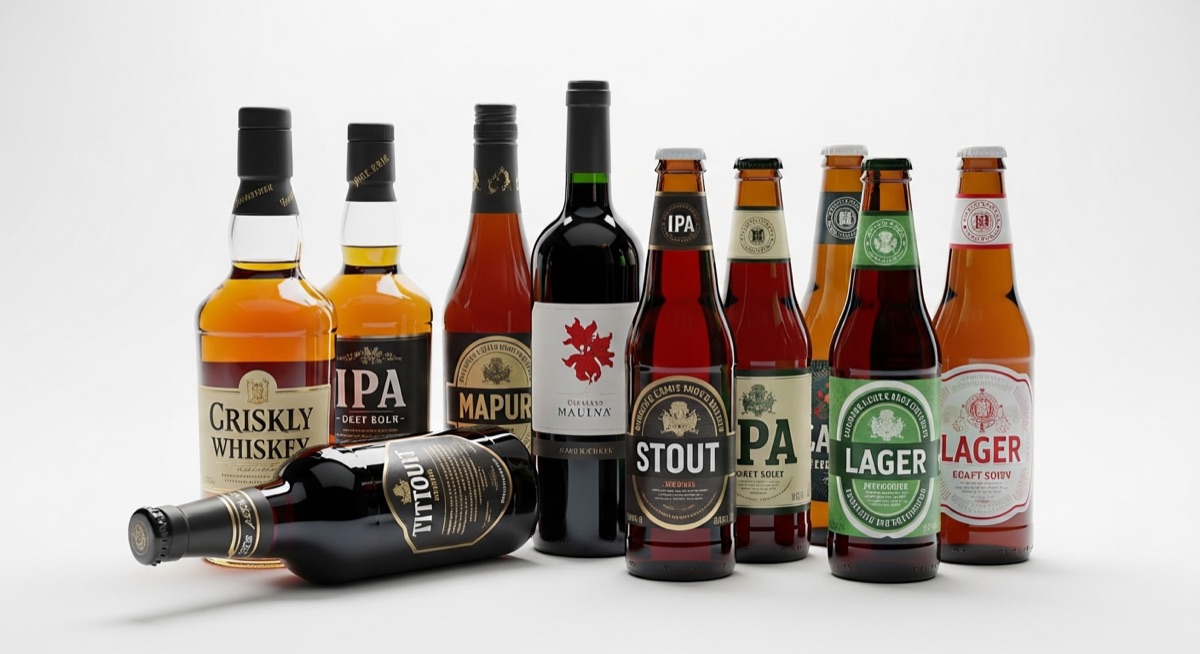
Branded products are covered in small print: brand logos, product names, flavors, sizes, ingredients, sometimes in several languages. Image AI is known to struggle with exactly this. In Photoroom's own benchmark, published in August 2026, warped, misspelled, moved or replaced logos and text were the most common failure, showing up in 20.1 percent of generations. Academic research on image models reports the same weakness with text across tools.
For your own product, a fixable glitch is an annoyance. For someone else's brand, a misspelled logo makes your listing look fake, and a wrong size or flavor on the label can lead to returns.
Marketplaces want the exact item
Google Merchant Center's image rules say the main product image must clearly show the exact item being sold, and AI-generated images must keep the metadata that labels them as AI-made. Using the brand's real photo as your main image avoids both questions.
Same product, two ways: an example
Take Round Lab 1025 Dokdo Toner 200ml, a Korean skincare product a beauty store might stock. Its label is mostly Korean text.
| With an AI editor | With Find Product Photos |
|---|---|
| 1. Take a bottle off the shelf and photograph it. | 1. Select the product in your Shopify store. |
| 2. Upload the photo and remove the background. | 2. The app searches for the brand's published photos. |
| 3. Generate a scene or shadow. | 3. Pick the photos you want. |
| 4. Check every Korean character on the label for distortion. | 4. They upload to the product, sized for Shopify. |
| 5. Export, then upload to Shopify (or pay for a plan that publishes). |
These are real photos the app found from nothing but the product title. Click any of them to see every photo found for that product.
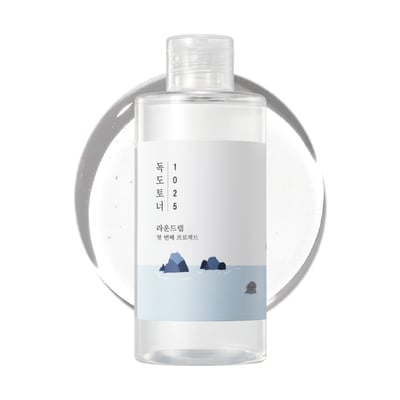 Round Lab Dokdo Toner: Korean label, exact
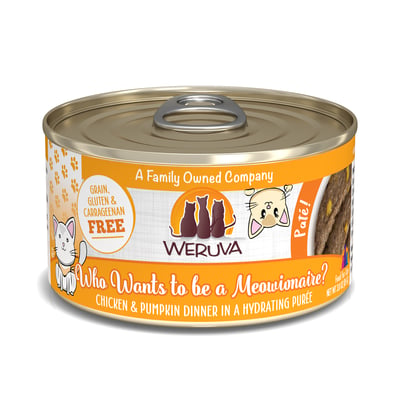 Weruva: script logo and small print, exact
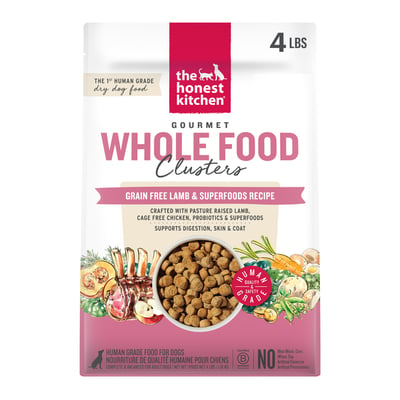 The Honest Kitchen: dense bag copy, exact
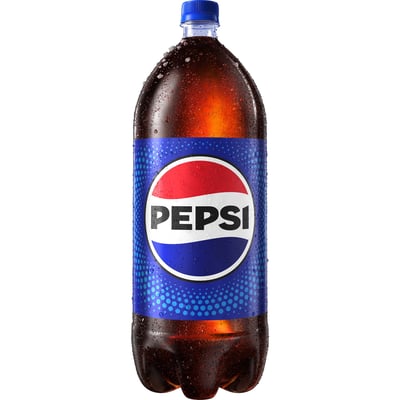 Pepsi 2 L: logo, exact
Look at the small text on each one: the Korean characters on the toner, "Grain, gluten and carrageenan free" on the Weruva can, the ingredient callouts on the Honest Kitchen bag. That small text is what AI tools most often get wrong, and it is correct here because these are the brands' own photos.
The real-photo alternative: Find Product Photos
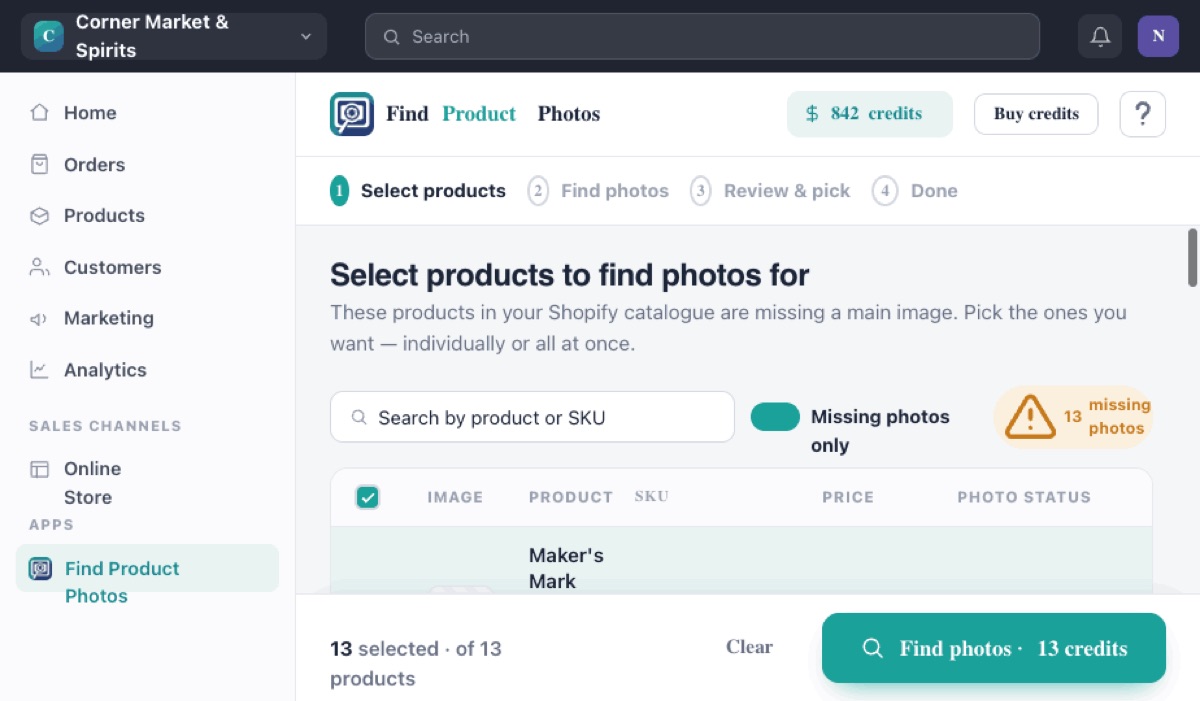
Find Product Photos is a Shopify app for stores that sell branded products. It reads your product titles, finds the photos the brand and its authorized retailers have already published, and uploads the ones you choose straight to your Shopify products.
How it is different from Photoroom
- No product in hand. You start from the title in your catalog. Nothing to unpack or photograph.
- Real photos only. Nothing is generated or edited by AI, so labels, logos, sizes and colors match the actual product.
- Built for whole catalogs. Select hundreds of products missing images and search them in one go.
- Pay per photo, once. No subscription. You buy credits once, they never expire, and you only spend one when you upload a photo. If nothing good is found, you pay nothing.
- Uploads to Shopify on every plan. Publishing to your store is included at every price.
| Plan | Price | Photos |
|---|---|---|
| Free | $0 | 15 free searches and 5 free photos to try it |
| Bodega | $25 once | 100 |
| Main Street | $99 once | 1,000 |
| Supermarket | $250 once | 3,000 |
When it is not the right tool
It only works for products whose photos already exist online. Your own private label products, handmade goods and very local brands with no web presence will not have photos to find, and an AI editor is the right call there. It also does not create lifestyle scenes. Many stores use both: the brand's real photo as the main image, and an AI scene as an extra image further down the gallery.
A note on rights: brands publish these photos so retailers can sell their products, often through retailer portals or distributors. The rights still belong to the brand or photographer, so check your supplier agreement or the brand's terms. This is general information, not legal advice.
Which one should you choose?
| If you... | Choose |
|---|---|
| Resell branded products and need main product photos | Find Product Photos |
| Make your own products and want the cheapest editor | Pixelcut or Flair.ai |
| Want AI lifestyle scenes for your own products | Pebblely or Mokker |
| Only need white backgrounds, inside Shopify | Shopify Magic |
| Need virtual models for clothing | Photoroom or Flair.ai |
| Have photo files and just need them on Shopify | See how to bulk upload images to Shopify |
Photoroom alternatives: FAQ
What is the best Photoroom alternative?
It depends on what you sell. For your own products, Pixelcut and Flair.ai are cheaper AI editors, Pebblely and Mokker are built for AI lifestyle scenes, and Shopify Magic can replace backgrounds inside your Shopify admin. For branded products you resell, Find Product Photos finds the brand's real photos instead of editing your own.
Is there a free Photoroom alternative?
Shopify Magic's background tool is included on paid Shopify plans (Shopify calls it a limited-time offer). Pixelcut and Flair.ai have free tiers, and Mokker gives 20 free photos. Find Product Photos is free to install, with 15 free searches.
Does Photoroom work with Shopify?
Yes. Photoroom's Shopify app imports your existing product images so you can edit them, but according to Photoroom's help center, publishing back to Shopify requires the Max or Ultra plan. It works on photos you already have and does not find new ones.
Can AI generate photos of branded products?
AI tools can edit a photo you supply, but they often distort logos and label text. Photoroom's own benchmark found logo and text distortion was the most common failure, in 20.1% of generations. For branded goods, the brand's real photo is more accurate.
Are AI product photos allowed on Google Shopping?
Google Merchant Center requires the main image to show the exact item being sold, and AI-generated images must keep the metadata that marks them as AI-generated. An AI scene around a real product photo can be fine; an image that changes the product is not.
Can I use the brand's own product photos on my store?
Many brands publish photos for their retailers through media portals or distributors, and authorized sellers commonly use them. Rights belong to the brand or photographer, so check your supplier agreement or the brand's asset terms. This is general information, not legal advice.
Sell branded products? Use the real photos.
Find the brand's own photos for your whole catalog from just the product titles. Free to install, with 15 free searches.
Add Find Product Photos to Shopify